Purchase your maintenance plan directly from Daikin
Daikin gives you the option to purchase maintenance for your system directly from us, so your Altherma is in the best hands. With Daikin, you can extend the warranty to up to 5 years on parts and 10 years on labour if you take out the maintenance plan within the first 6 months.

How?
Register your installation at www.standbyme.daikin.es using the code provided by the Official Technical Service during commissioning. Once you are registered, follow these simple steps to purchase maintenance:
Step 1
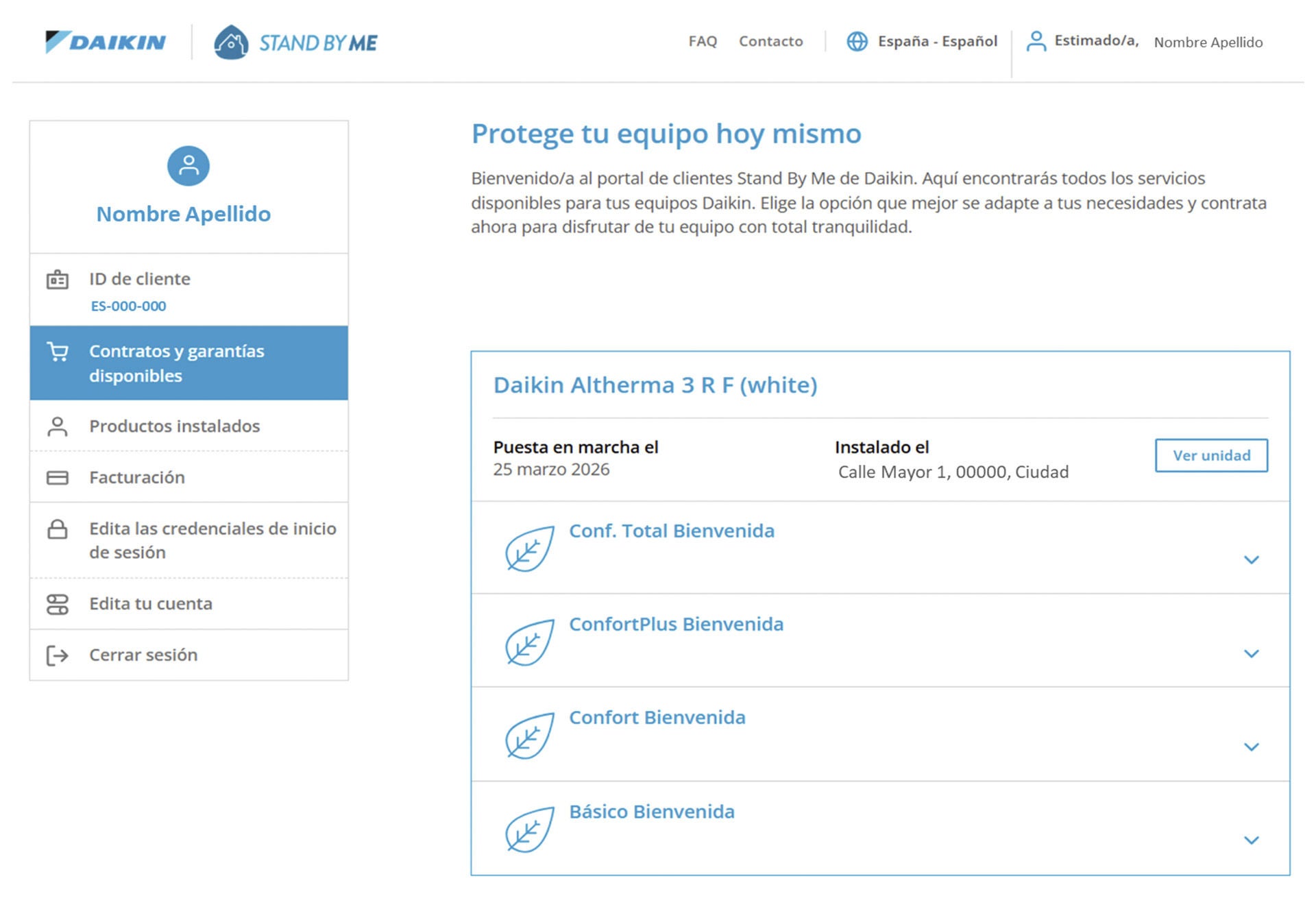
In your profile, go to "Available contracts and warranties" and select the contract that best suits your needs. Once you have chosen an option, click "Request this package".
Step 2
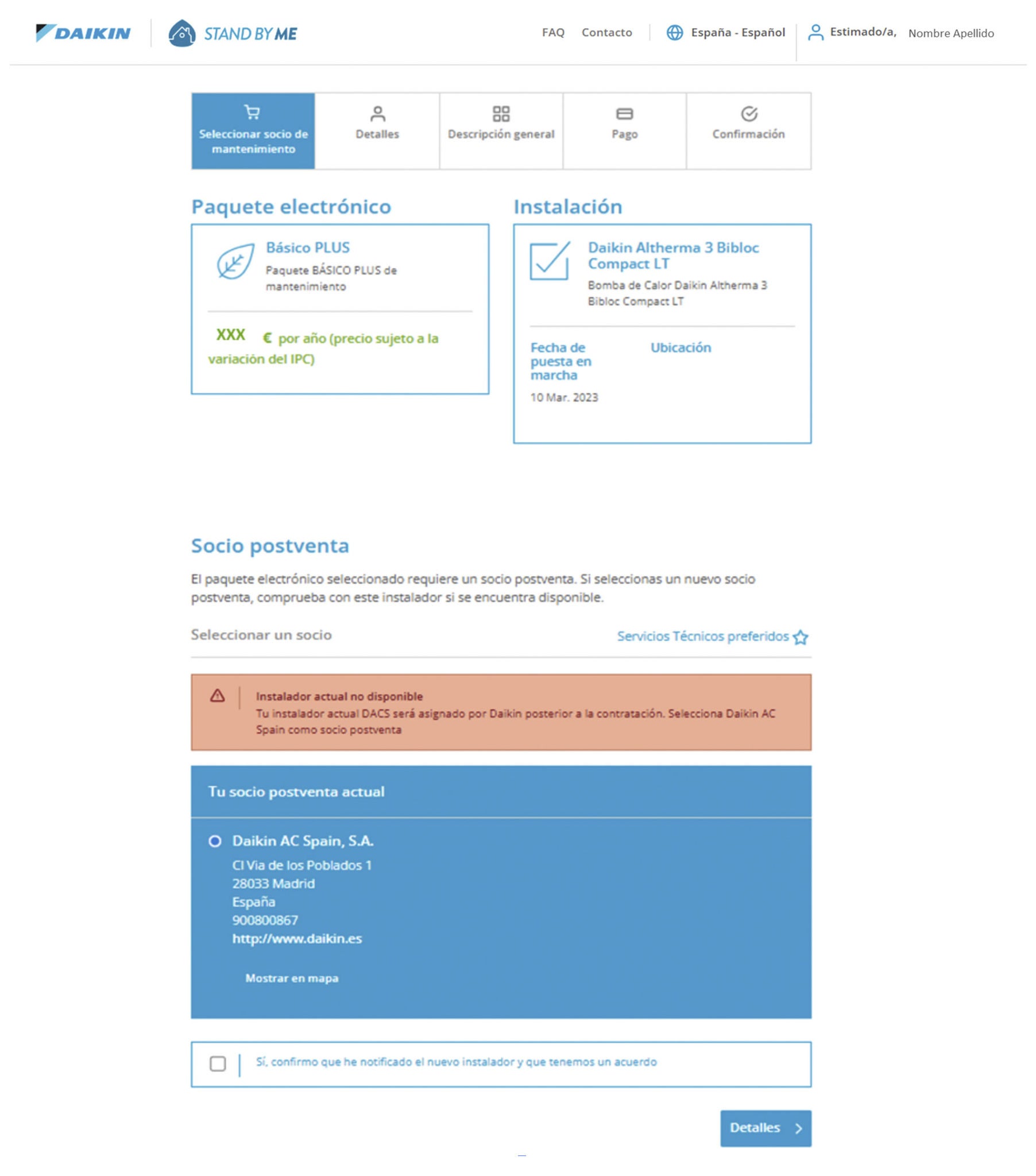
In the "Select maintenance partner" tab, choose Daikin AC Spain, S.A. as the after-sales partner and then click "Details".
Step 3
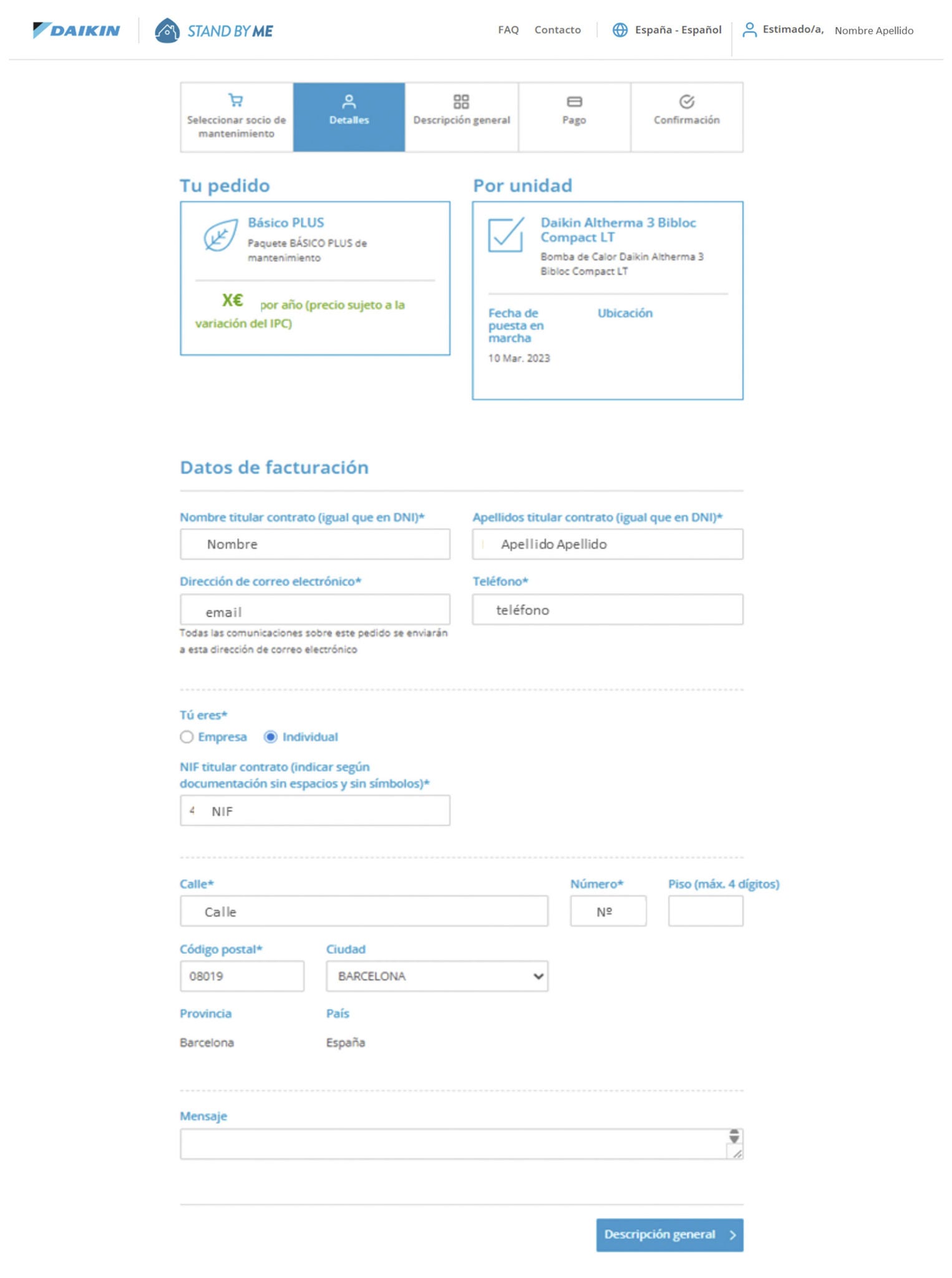
In the "Details" tab, check that your information is correct. Once confirmed, click "Overview".
Step 4
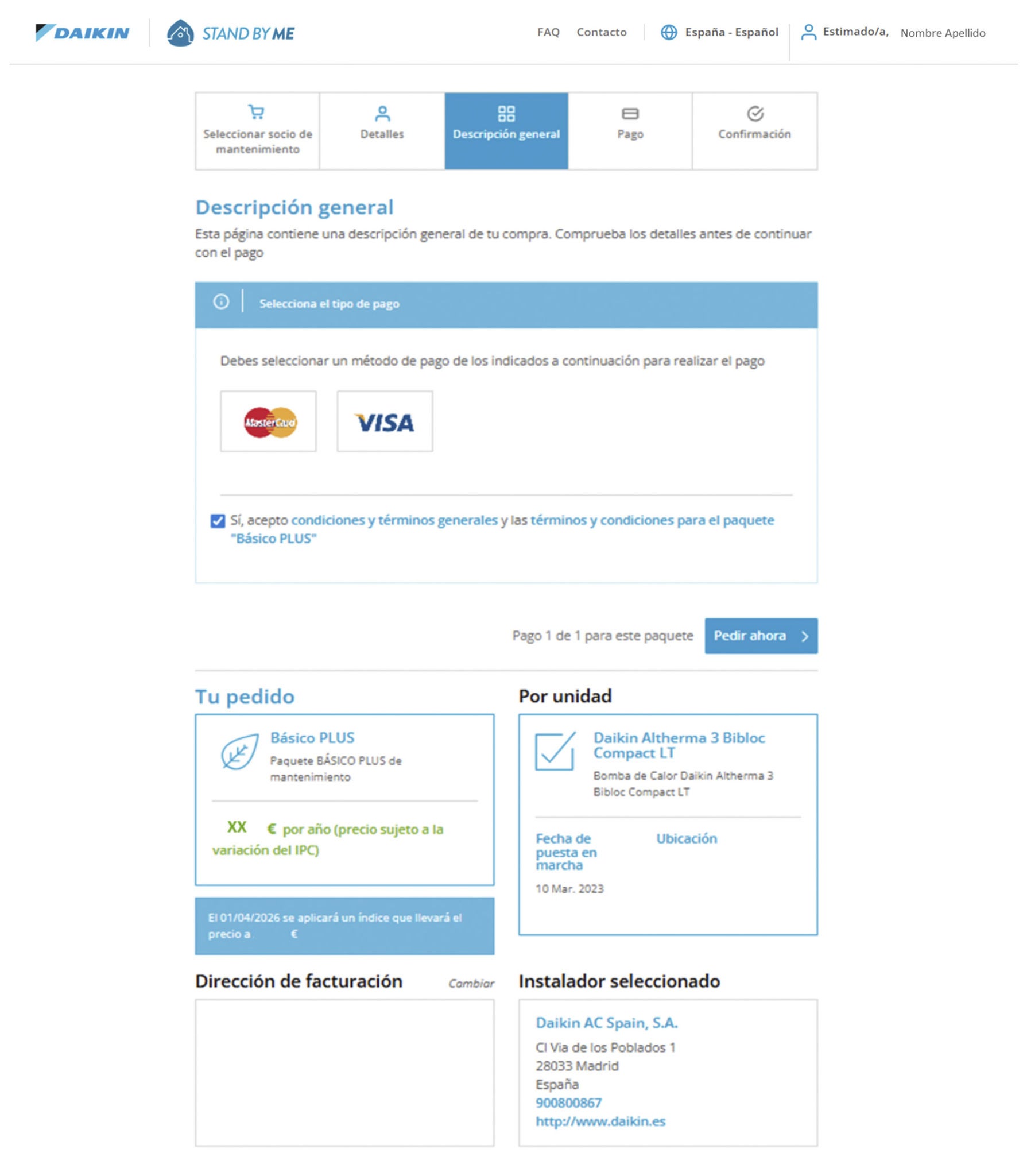
In the "Overview" tab, select the payment method (Visa or Mastercard) and accept the terms and conditions. Click "Order now".
Step 5
Make the online payment.
Important: Keep clicking the green buttons until you return to the "Payment" section of the Stand By Me website. After payment, you will be taken to the "Purchase confirmation" tab.
If you receive an error message, it means something went wrong while completing the form. The system will highlight in red which field was filled in incorrectly.
If there is an error during the payment process, you will receive an email so you can try the payment again directly without having to repeat the entire process.
Once the purchase is complete, you can view your order in the "Billing" section within your Stand By Me profile. You will receive a purchase confirmation email.